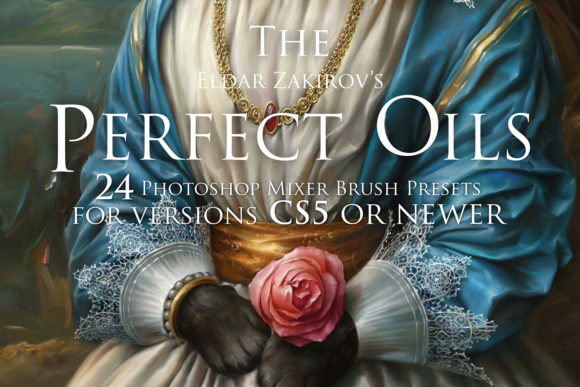
Mastering Digital Oil Painting with Perfect Oils
Digital art has long struggled to replicate the tactile, visceral satisfaction of traditional media. For years, painters transitioning from canvas to screen found themselves fighting against the sterile precision of standard digital brushes. The friction was real: colors sat flatly on top of one another, blending felt artificial, and the organic unpredictability of wet paint was nowhere to be found. This is where Perfect Oils. 24 PHOTOSHOP Oil Brushes changes the game. It is not merely a collection of brush tips; it is a sophisticated toolset designed to bridge the gap between physical intuition and digital flexibility.
Built specifically for Adobe Photoshop CS5 and newer versions, this suite leverages the powerful Mixer Brush Tool to simulate the behavior of real-world oils and acrylics. If you are still using older versions of Photoshop, you may miss out, as the Mixer Brush engine is essential for these presets to function correctly. However, for modern users, this toolkit offers a pathway to a more authentic, expressive, and efficient painting workflow.
The Mechanics of Realistic Blending
The core advantage of Perfect Oils. 24 PHOTOSHOP Oil Brushes lies in its ability to mimic the physics of wet paint. In traditional oil painting, the magic happens when you drag a loaded brush through existing pigment on the canvas, mixing colors directly on the surface rather than on a palette. Standard digital brushes rarely achieve this. They typically apply opaque or semi-transparent layers that stack without interacting.
These twenty-four presets were built, tested, and improved through actual professional work. This iterative development process ensures that each brush responds naturally to pressure, tilt, and speed. When you stroke across a digital canvas, you experience a "liquid soft paint sensation." The colors bleed into one another, creating smooth gradients and complex secondary hues just as they would on linen or board. This capability allows for simple color blending that feels intuitive rather than technical. You are no longer manually picking intermediate shades from a color wheel; you are painting and mixing new colors right into the existing artwork, replicating the genuine oil painting process.
Versatility in Technique and Style
One of the most common misconceptions about digital painting tools is that they force a specific aesthetic. On the contrary, this toolset is designed to support a wide spectrum of artistic voices. Whether you prefer the thick, impasto strokes of an expressionist or the delicate, glazing techniques of a classical realist, these brushes adapt to your hand.
- Expressive Painting: Use the heavier load brushes to create bold, textured marks that convey energy and movement. Ideal for landscapes, abstract works, and dynamic character concepts.
- Soft Blending: Utilize the cleaner, softer presets for subtle transitions in skin tones, skies, and atmospheric perspectives. These are invaluable for portrait artists seeking life-like realism.
- Life-like Sketching: The set includes brushes that retain enough tooth and resistance to allow for energetic sketching, helping you form a unique painting style that doesn’t look overly "digital" or polished too early in the process.
This versatility helps artists paint more realistically by removing the technical barriers that often interrupt creative flow. When the tool disappears, the art emerges. By offering rich creative opportunities, the set encourages experimentation. You might find yourself combining a dry brush preset for texture with a wet blender for smoothing, achieving results that would take hours to replicate with standard round brushes.
Professional Applications and Workflow Efficiency
Beyond hobbyist use, Perfect Oils. 24 PHOTOSHOP Oil Brushes holds significant value for professionals across various industries. Concept artists, illustrators, and graphic designers often face tight deadlines where efficiency is paramount. The ability to blend colors directly on the canvas reduces the time spent sampling colors and adjusting layer opacities. This streamlined workflow translates directly to productivity gains.
For educators and bloggers, demonstrating painting techniques becomes more engaging when the digital process mirrors the traditional one. Students can grasp concepts of value, temperature, and edge control more easily when the software behaves predictably like physical media. Similarly, marketers and entrepreneurs who create custom visual content for branding can achieve a hand-crafted, premium look that stands out in a sea of stock imagery and vector graphics. The "human touch" implied by oil-style textures can enhance brand perception, suggesting authenticity and quality.
Freelancers and publishers also benefit from the unique aesthetic these brushes provide. In an era where AI-generated images are becoming ubiquitous, the distinct, intentional strokes of a human artist using realistic tools offer a competitive edge. The imperfections and nuances captured by these mixer brushes signal craftsmanship, adding value to commissioned works and editorial illustrations.
Getting Started: Installation and Setup
Implementing this toolset is straightforward, ensuring you spend less time configuring and more time creating. Upon purchase, you receive a ZIP archive containing two essential files:
- TPL File: This is the Adobe Photoshop Tool Presets file containing the 24 Perfect Oils Mixer Brush presets. Installing this is as simple as loading it into your Presets panel.
- PDF Guide: A comprehensive document offering advice on how to install, set up, and use the brushes effectively. This guide is crucial for understanding the nuances of the Mixer Brush settings, such as wetness, load, mix, and flow.
It is important to note that these presets are optimized for Adobe Photoshop CS5 and newer. Older versions lack the advanced Mixer Brush Tool required to execute the complex blending algorithms these presets rely on. Before purchasing, verify your software version to ensure compatibility. Once installed, take time to read the PDF advice. Understanding how to adjust the brush dynamics for your specific tablet and drawing style will maximize the potential of the tool.
Why This Toolset Matters for Your Creative Growth
Ultimately, the value of Perfect Oils. 24 PHOTOSHOP Oil Brushes extends beyond mere imitation. It is about expanding your creative vocabulary. By providing a realistic simulation of oils and acrylics, it invites traditional painters to explore digital mediums without sacrificing the sensory experience they love. For digital natives, it offers a deeper understanding of traditional techniques, fostering a more rounded skill set.
The advantages are clear: realistic paint imitation, simple color blending, and the ability to paint expressively or softly depending on the need. These features help form a unique painting style, distinguishing your work in a crowded digital landscape. Whether you are refining a commercial illustration, teaching a masterclass, or simply enjoying the meditative process of painting, this toolset provides the reliability and realism needed to bring your vision to life. Embrace the liquid soft paint sensation and discover how digital tools can truly feel like an extension of your hand.