Procreate Magic Watercolour Brushes: Creating Realistic Digital Art for Print and Screen
Digital art has come a long way from the flat, vector-heavy styles of the early 2000s. Today, creators are chasing texture, imperfection, and the organic feel of traditional media. This is where Procreate Magic Watercolour Brushes step in. For artists, designers, and hobbyists who love the fluidity of water-based paint but prefer the convenience of an iPad, this toolset offers a bridge between two worlds. It is not just about mimicking paint; it is about capturing the unpredictable beauty of watercolour while retaining the control digital platforms provide.
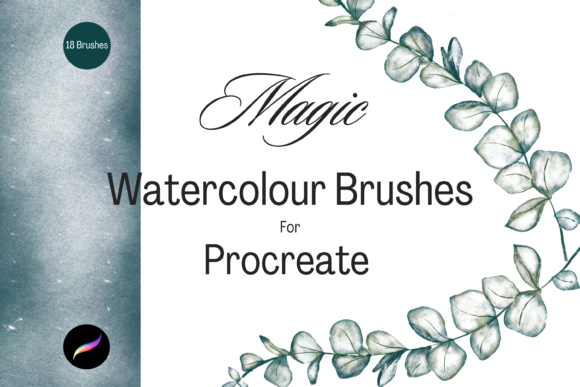
These instant download, hand-drawn digital brushes are designed specifically for those who want to elevate their DIY projects. Whether you are creating content for social media, designing printed goods for a small business, or simply exploring digital crafting as a relaxing hobby, these tools provide the versatility needed to produce professional-looking results. The pack contains 18 unique individual digital brushes, each crafted to behave like real bristles interacting with paper and pigment.
Why Choose Digital Watercolours Over Traditional Media?
Traditional watercolour is notoriously difficult to master. It requires specific paper, high-quality paints, controlled lighting, and, perhaps most challengingly, the acceptance that mistakes are often permanent. Once a dark pigment hits wet paper, there is no "undo" button. This barrier keeps many creative ideas trapped in the imagination phase.
Using Procreate Magic Watercolour Brushes changes that dynamic. You get the aesthetic appeal of multi-tonal and textured strokes without the physical mess. Spilled water, dried-out tubes, and expensive paper costs become non-issues. More importantly, the ability to resize and recolour your work instantly allows for rapid experimentation. You can test a blue sky, decide it looks better as a sunset orange, and change it with a few taps. This flexibility is invaluable for professionals working under tight deadlines and for beginners who are still learning colour theory.
Real-World Applications for Creators and Entrepreneurs
The utility of this brush pack extends far beyond simple sketching. Because the output is high-resolution and layered, it serves as a foundational tool for various commercial and personal projects. Here is how different users can leverage these brushes in their daily workflows.
Greeting Cards and Stationery Design
Independent sellers on platforms like Etsy thrive on unique, handcrafted aesthetics. A generic clip-art flower rarely sells as well as a piece that looks painted by hand. With these brushes, you can create bespoke floral arrangements, abstract backgrounds, or whimsical animal illustrations for greeting cards. The textured nature of the brushes ensures that when these designs are printed, they retain a tactile quality that customers appreciate. You can design a entire line of birthday or thank-you cards, knowing that each element can be tweaked to match seasonal trends without starting from scratch.
Wedding Invitations and Event Branding
Wedding stationery often relies on soft, romantic visuals. Watercolour is a staple in this industry because it conveys elegance and warmth. Using Procreate Magic Watercolour Brushes, freelance designers can create custom monograms, border elements, or background washes for invitations. The ability to adjust opacity and flow means you can create subtle, dreamy effects that do not overpower the text. Furthermore, if a client wants to change the colour palette from blush pink to sage green halfway through the project, the digital format makes this adjustment seamless, saving hours of manual repainting.
Print-on-Demand and Wall Art
For artists looking to scale their work, print-on-demand services offer a low-risk entry into the market. However, success in this space requires high-quality, original designs. These brushes allow you to create large-scale wall art, such as botanical prints or landscape scenes, that look authentic even when enlarged. The multi-tonal capabilities of the brushes add depth, preventing the art from looking flat or digitally sterile. You can create a series of cohesive pieces for a nursery, a kitchen, or an office, ensuring that each piece has a consistent artistic voice.
Scrapbooking and Digital Planning
The digital planning community is vast, with users creating hyper-linked planners and digital journals on their tablets. Adding hand-drawn elements to these layouts adds a personal touch that pre-made stickers cannot always achieve. You can use these brushes to create custom headers, decorative dividers, or mood-tracking backgrounds. Similarly, for traditional scrapbookers who hybridize their process, you can print out your digital watercolour elements to glue into physical albums, combining the precision of digital design with the tangible joy of paper crafting.
Understanding the Technical Requirements
Before purchasing or downloading, it is crucial to understand the ecosystem these brushes operate within. Procreate Magic Watercolour Brushes are not standalone software. They are plugin files that function exclusively within the Procreate app. This means you must have an iPad with Procreate installed. Additionally, to fully utilize the pressure sensitivity and tilt features that make watercolour simulation realistic, an Apple Pencil is highly recommended. Trying to use these brushes with a finger or a basic stylus will limit your control over stroke weight and opacity.
Hardware compatibility is another key consideration. While Procreate runs on various iPad models, the performance of complex brushes with high texture resolution can vary. An iPad Pro or a newer iPad Air will provide the smoothest experience, ensuring that the brush strokes render in real-time without lag. If you are using an older device, you may need to manage your layer count carefully to maintain performance.
Installation and File Management
For those new to digital assets, the installation process might seem daunting, but it is straightforward once you know the steps. The files come as a compressed zip folder. You will need a way to unzip these files on your iPad. Apps like iZip or the native Files app on iOS can handle this task. Once unzipped, the file will be in the .brushset format. Tapping this file will automatically prompt Procreate to open and import the brushes into a new named folder within your brush library. This organization helps keep your workspace tidy, allowing you to locate your watercolour tools quickly among your other assets.
Maximizing the Potential of the Brush Pack
Owning the brushes is only the first step. To truly benefit from Procreate Magic Watercolour Brushes, users should experiment with layering and blending modes. Watercolour art relies heavily on transparency. By painting on separate layers and adjusting the opacity, you can build up rich, complex colours that mimic the glazing technique used in traditional painting. Try using a lighter wash on one layer and adding darker details on another. This approach gives you the freedom to edit individual elements without disturbing the underlying textures.
Additionally, consider the role of paper texture. While the brushes themselves contain textured elements, importing a high-resolution photo of real watercolour paper as a background layer can enhance the realism. Set this layer to "Multiply" or "Overlay" to let the paper grain interact with your digital paint. This small step can make the difference between a good digital illustration and one that fools the eye into thinking it is traditional media.
Who Is This Tool Best Suited For?
This brush pack is ideal for a wide range of users. Freelance illustrators will find it a time-saver for client work. Small business owners can use it to create unique branding materials that stand out in a crowded market. Educators might use it to create engaging visual aids for students, leveraging the friendly, approachable style of watercolour. Even hobbyists who have never picked up a paintbrush can find joy in the forgiving nature of digital watercolour, allowing them to express creativity without the fear of ruining expensive supplies.
Ultimately, Procreate Magic Watercolour Brushes are about removing barriers. They remove the barrier of cost, the barrier of mess, and the barrier of permanence. By providing a toolkit that is both powerful and accessible, they empower users to focus on what matters most: the act of creation. Whether you are designing a wedding invitation suite or just doodling for relaxation, these brushes offer the flexibility and beauty needed to bring your vision to life.