Evaluating the 79 Wall Procreate Brushes for Digital Texture Work
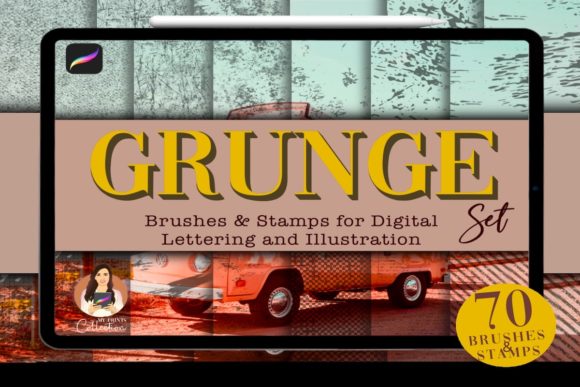
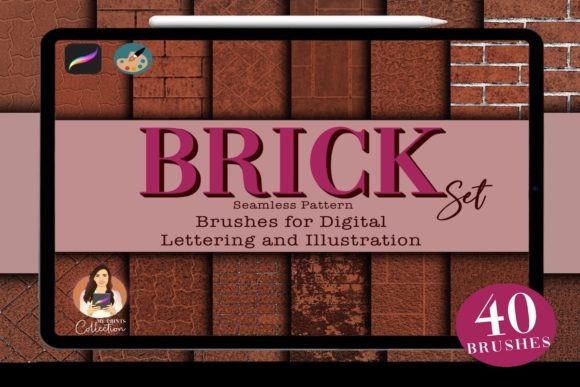
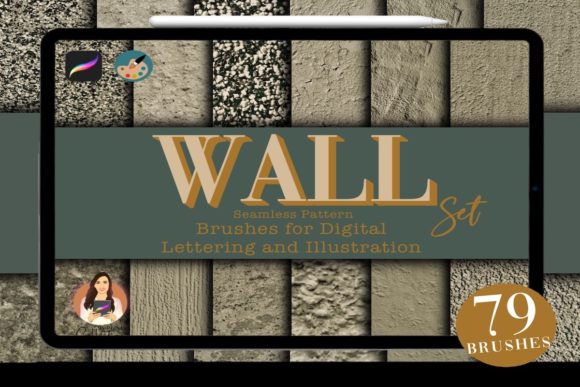
Digital illustration has evolved significantly, moving beyond flat colors and simple gradients to embrace complex, tactile surfaces. For artists working within the iPad ecosystem, achieving realistic environmental textures can be a time-consuming process without the right tools. The 79 Wall Procreate Brushes set offers a specialized solution designed to streamline the creation of architectural and urban elements. This collection includes 79 seamless brushes intended to add plaster, sand, cracked, dirty, or grunge textures to digital pavements, walls, and floors. Understanding the specific capabilities and limitations of this toolset is essential for determining whether it aligns with your artistic workflow.
Understanding the Toolset and Technical Requirements
Before integrating any new asset into your creative pipeline, it is crucial to understand the technical specifications. The 79 Wall Procreate Brushes are distributed as a single .brushset file. This format is native to Procreate, ensuring that installation is straightforward for users familiar with the app. However, compatibility is a strict constraint. The software requirement is Procreate App version 5 or higher. Artists using older versions of the application will not be able to import or utilize these brushes effectively.
It is equally important to note what this product is not. These brushes are not compatible with Photoshop or Illustrator. This limitation defines the target audience strictly as iPad-based digital artists. If your workflow relies heavily on Adobe Creative Cloud applications or desktop-based painting software, this specific set will not serve your needs. The design philosophy behind these brushes leverages the unique rendering engine of Procreate, which means the texture behavior, opacity dynamics, and grain effects are optimized specifically for that environment.
Why Artists Seek Specialized Texture Brushes
The primary reason an artist might investigate the 79 Wall Procreate Brushes is efficiency. Creating realistic wall textures from scratch involves multiple layers of noise, custom alpha masks, and careful blending modes. For concept artists, background illustrators, or comic creators who frequently depict urban environments, manually generating these surfaces can consume hours of production time. A dedicated brush set allows for rapid iteration, enabling the artist to block in large areas of concrete, stucco, or weathered brick with a few strokes.
Furthermore, consistency is a significant factor. When working on a series of illustrations or a long-form comic, maintaining a uniform textural language across different scenes is vital for visual cohesion. Using a standardized set of 79 brushes ensures that the grit on a sidewalk in one panel matches the decay on a building facade in another. This consistency helps ground the artwork in a believable reality, enhancing the viewer’s immersion.
Benefits and Practical Applications
The core benefit of this collection lies in its variety and specificity. With 79 distinct options, the set covers a broad spectrum of surface conditions. The inclusion of seamless brushes is particularly valuable for tiling textures. Whether you are creating a repeating pattern for a floor or extending a wall beyond the canvas edges, seamless brushes prevent visible breaks or awkward repetitions that can distract the eye.
The specific texture types included—plaster, sand, cracked, dirty, and grunge—address common challenges in environmental art. Plaster brushes can help simulate smooth yet imperfect interior walls, while sand textures provide the necessary roughness for exterior surfaces. Cracked and grunge overlays are essential for storytelling, as they imply age, neglect, or history within the scene. By layering these different brush types, artists can build complex surfaces that react realistically to light and shadow.
For educators or students learning digital painting, this set can serve as a study aid. By analyzing how the brushes apply pigment and texture, learners can gain insights into how real-world materials behave. It allows them to focus on composition and lighting without getting bogged down in the minutiae of texture generation.
Tradeoffs and Considerations
While the 79 Wall Procreate Brushes offer convenience, there are tradeoffs to consider. Relying heavily on pre-made texture brushes can sometimes lead to a generic look if not customized. Because these assets are available to many users, there is a risk that artworks may share similar textural qualities unless the artist modifies the brush settings or combines them with hand-painted details. To maintain a unique style, it is advisable to use these brushes as a base layer rather than the final finish.
Another consideration is the learning curve associated with managing a large library. Seventy-nine brushes is a substantial number. Without proper organization, finding the specific "cracked plaster" or "dirty concrete" brush needed at a given moment can become frustrating. Users may need to invest time in organizing their brush palette, creating folders, or renaming assets to suit their personal workflow. Additionally, because these are specialized tools, they may not replace the need for general-purpose painting brushes. They are additive tools, meant to enhance specific elements rather than serve as a complete painting solution.
Situations Where This Set Is a Strong Fit
This toolset is ideally suited for concept artists working in architecture, game design, or film pre-production. In these fields, speed and clarity are often more important than photorealistic perfection. The ability to quickly convey the materiality of a surface allows for faster feedback loops and more efficient ideation. Similarly, comic book artists who need to fill large backgrounds with consistent urban textures will find significant value in the seamless nature of these brushes.
Interior designers or architects who use Procreate for quick sketches and client presentations may also benefit. The plaster and sand textures can help differentiate between material choices in a conceptual drawing, providing a clearer representation of the proposed design intent without requiring full 3D rendering.
When Alternatives May Be Worth Considering
If your work focuses primarily on character design, portraiture, or organic landscapes, the 79 Wall Procreate Brushes may offer limited utility. While grunge textures can be applied to clothing or skin for stylistic effect, the specific focus on walls, floors, and pavements means that a general-purpose texture pack or a skin-specific brush set might be a better investment. Additionally, if you require high-resolution, print-ready textures for large-format output, you might find that vector-based solutions in Illustrator or high-resolution photo bashing in Photoshop provides greater control and scalability.
Artists who prefer a completely hand-crafted approach may also find pre-made brushes restrictive. If your artistic goal is to develop a unique, painterly style that relies on individual brushstroke visibility, automated texture generators might conflict with your aesthetic objectives. In such cases, creating custom alphas or using standard round brushes with texture overlays might provide more artistic freedom.
Making the Decision
Choosing the right digital tools requires an honest assessment of your current projects and future goals. The 79 Wall Procreate Brushes represent a targeted solution for a specific problem: the efficient creation of architectural and urban textures. If your portfolio features cityscapes, interiors, or industrial environments, this set can significantly reduce repetitive labor. However, it is not a universal solution for all texturing needs.
Before purchasing, evaluate your existing library. Do you already have sufficient methods for creating concrete or plaster effects? Are you committed to the Procreate ecosystem? If the answer to both is yes, then integrating these 79 seamless brushes could streamline your workflow and enhance the realism of your environmental art. By understanding both the capabilities and the constraints of the tool, you can make an informed decision that supports your creative development.